Product launch: Bulk messaging
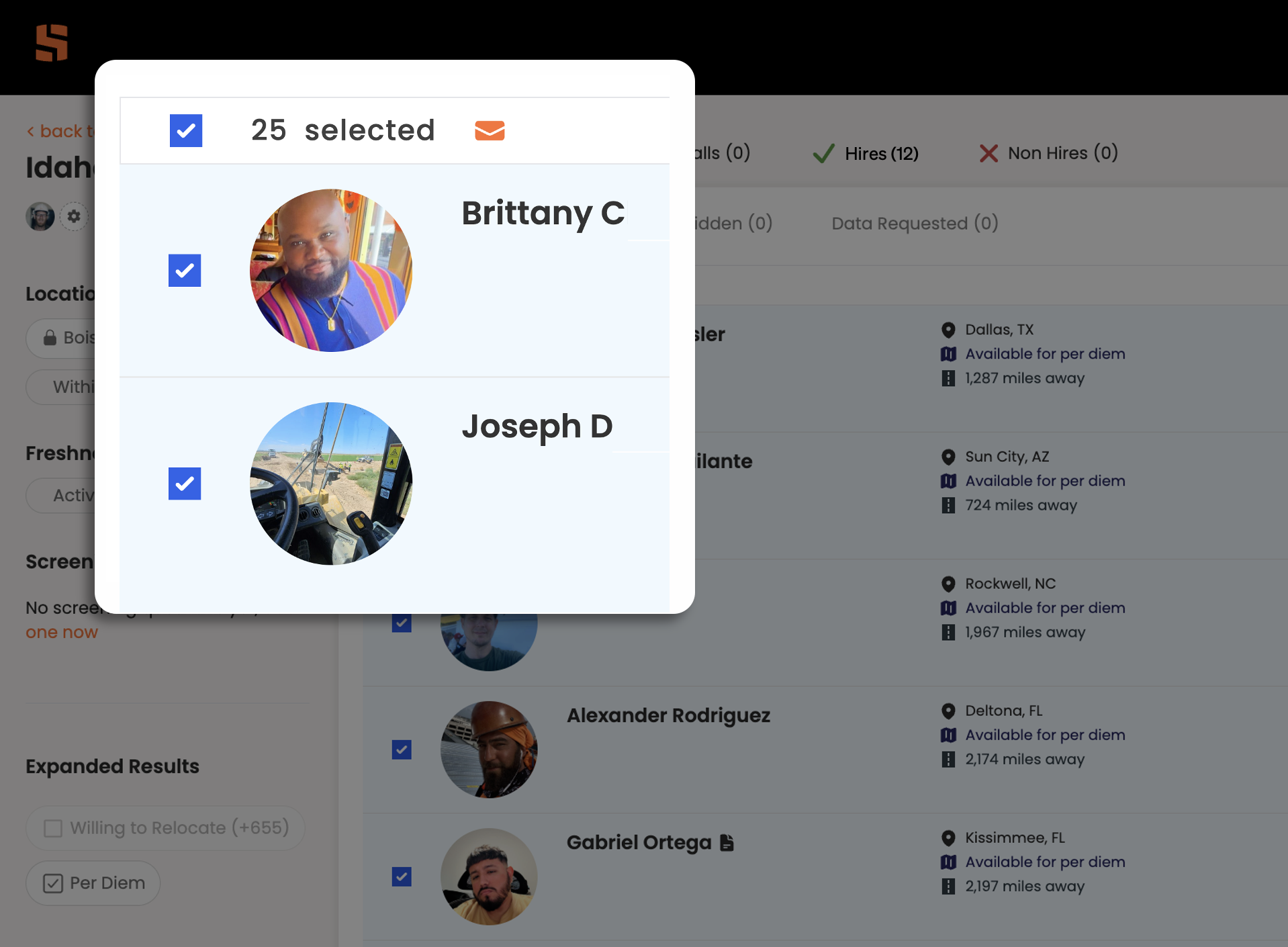
Check the box at the top of your list of candidates to select them all (up to 25). Click the orange mailbox icon to start sending bulk messages.
Skillit is constantly searching for ways to improve the efficiency and effectiveness of recruiter performance. Given the state of craft labor across the US, recruiters must reach out to numerous candidates to fill their craft hiring needs at scale. Also, we all know that not every candidate is a fit and not every candidate is available for work. This makes outreach at scale even more critical, as recruiters must reach out to numerous candidates in order to fill roles quickly for time sensitive projects.
In order to facilitate communications between one recruiter and multiple craft workers, Skillit has introduced bulk messaging. This allows the recruiter to message up to 25 candidates with the same message. Dynamic message variables such as candidate name, company name and recruiter name make personalization simple and straightforward, so all messages can be addressed personally to the candidate.
How does bulk messaging work?
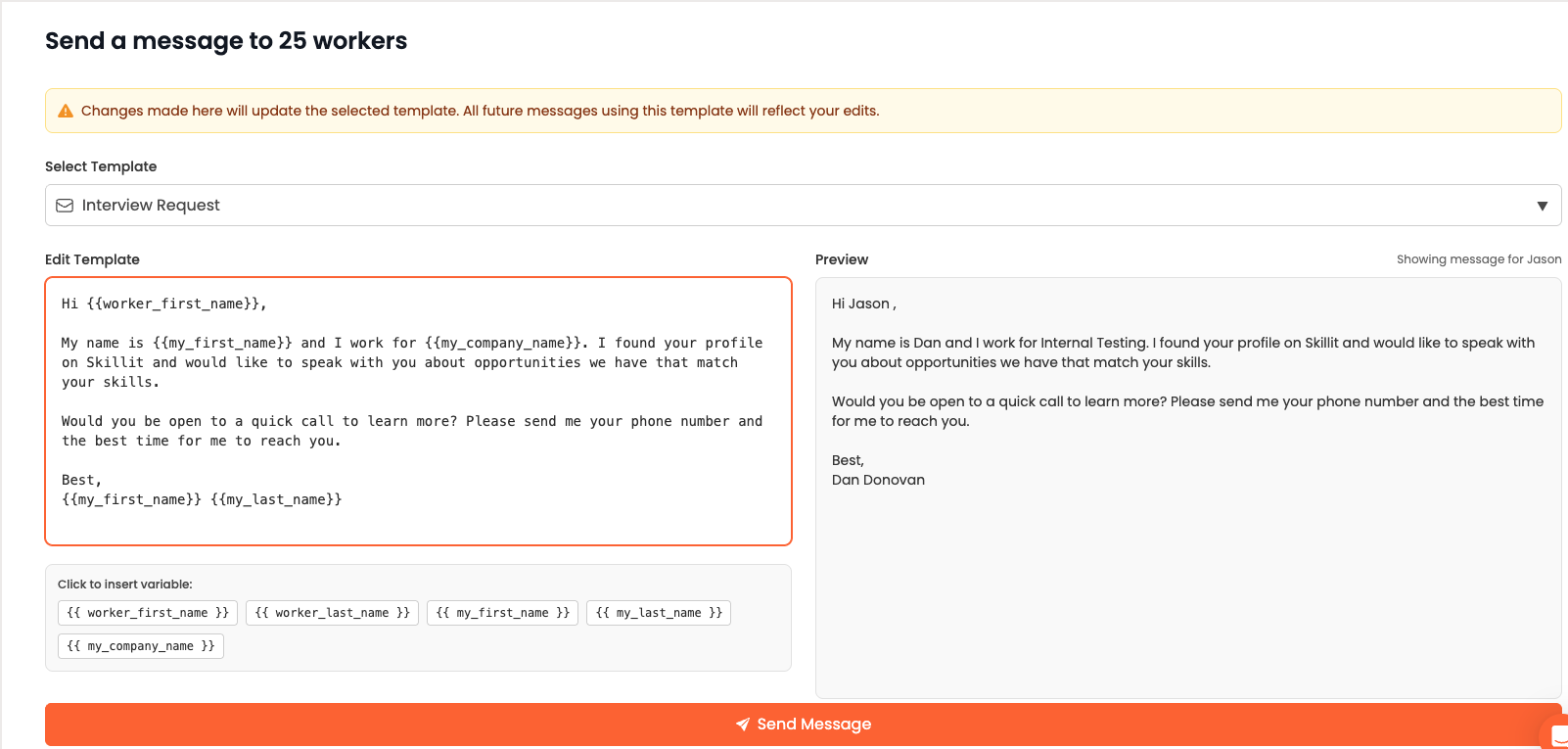
Select all of the candidates you want to message. Then click on the orange mailbox icon to begin sending a message.
Implementing bulk messaging in your recruiting process is simple. All you have to do is source the candidates you want to reach out to by saving workers that look like potential matches while reviewing their profiles. Then go to your saved candidates and click the button to select all. An orange mailbox icon will appear next to the check box. When you click on that mailbox icon it opens up the template section to craft your message to all of the candidates.
Features of bulk messaging:
Skillit’s bulk messaging makes it easy for recruiters to customize outreach, personalize messages and alter templates for future bulk messaging efforts. Additionally, it provides a preview so you know exactly what you are sending to these candidates. Managing responses to bulk messages (and all messages) has been simplified by the Skillit team as well. In tandem with bulk messaging, the Skillit team released the Smart Inbox feature to help manage messages and communications with workers at scale. Click here to learn more about the Smart Inbox feature. These two products coupled together offers a seamless, all encompassing way to scale your craft recruiting for fast and easy hiring on the Skillit platform.