

How to Get Comfortable with Construction Tech on the Jobsite
Quick Answer
Most construction tech, be it apps, digital timecards or field management platforms, can usually be learned in a few shifts. You don't need to be a tech person. You need to know three things: what the tool is actually for, the two or three screens you'll touch every day, and who to ask when something's off. Workers who get comfortable with jobsite tech faster get flagged for lead and foreman roles faster. The learning curve is real but short.
Why Contractors Are Rolling Out More Tech and Why It Affects You
Digital tools on the jobsite aren't a trend contractors are going to walk back. They're baked into how GCs now manage schedule, safety, and compliance on commercial and industrial projects. If a GC requires daily reports submitted through a platform, every sub's workforce needs to operate it. That includes you.
Fact: The most commonly used field platforms in 2026 commercial construction — Procore, Fieldwire, Autodesk Construction Cloud, and daily timecard apps — are designed for workers who have never used construction software before.
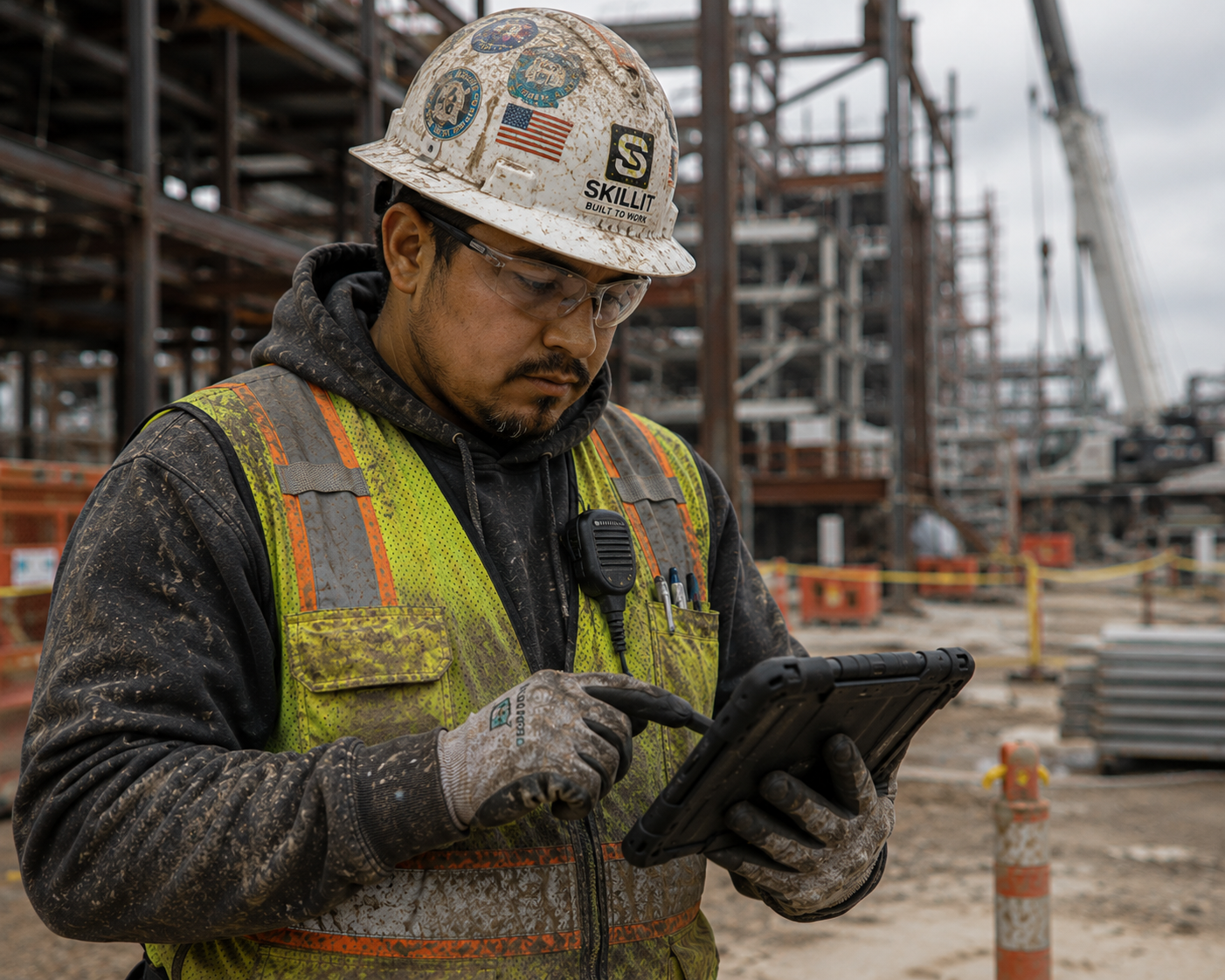
They are not complex enterprise systems. Most of the daily functions a field worker uses come down to: logging hours, submitting a daily report, reviewing a drawing, or marking a punch item. If you can use a smartphone to text and take photos, you already have the foundational skills for most of these apps.
The catch is that most workers are thrown into these tools on day one with a 10-minute walkthrough from a super who has 40 other things to do. That's not a training failure, that's just how jobsites work. This guide closes that gap.
The Apps You're Most Likely to Encounter (and What They Actually Do)
Every contractor has a preferred stack, but you'll see the same tools cycle across most commercial and industrial work. Here's a plain-English breakdown of the most common ones:
Procore — Project management platform most large GCs use. As a field worker, you'll likely use it to sign in to the site, view drawings, and maybe submit or view RFIs. You probably won't touch most of what's in it.
Fieldwire — Plan and task management tool common among subs. Workers use it to view current drawings and check task assignments. Very intuitive mobile interface.
Autodesk Construction Cloud (ACC) / BIM 360 — Document and drawing management. You'll mostly use it to pull up the latest sheet. Searching for a drawing number is the main skill.
Daily timecard apps (ClockShark, busybusy, ExakTime) — GPS-verified clock-in/clock-out. Download the app, enter your employee ID, tap clock in. That's usually it.
Safety apps (iAuditor, Salus, paper-to-digital JHA tools) — Digital versions of forms you've filled out on paper for years. Swipe, tap to check boxes, sign with your finger.
Fact: As a field worker, you will typically use fewer than five screens inside any of these platforms. The other 90% of the app is for PMs, supers, and office staff. Focus on your screens only.
How to Get Up to Speed Fast: A Practical Framework
You don't need formal training to get functional with jobsite tech. You need a method. Here's the one that works in a real construction environment:
Step 1 — Find out what you'll actually use
On your first day with a new contractor or a new platform, ask your foreman one question: 'What do I need to do in this app every day?' That's it. Ignore everything else in the interface until you have those tasks down cold. Most platforms have daily-use workflows that take under two minutes once you know them.
Step 2 — Do it once, supervised
Ask whoever walks you through the platform to watch you do it once yourself — not watch them do it. Hands-on repetition in the first shift is worth more than ten demos. If you mess something up, you find out immediately when there's someone there to fix it.
Step 3 — Use YouTube before the help desk
Every major construction platform has official walkthrough videos that run two to five minutes. Procore's YouTube channel alone has hundreds of role-specific tutorials. If you're struggling with a specific task, search '[app name] how to [task] field worker' and you'll find it. This is the fastest path from confused to functional — and you can watch it on your phone before your shift.
Step 4 — Know who the go-to person is on your jobsite
Every project has someone who's been using the platform the longest, a foreman, a field engineer or maybe a super's assistant. Find out who that is on day one. You're not going to bother them for everything, but knowing you have a person to ask when something genuinely breaks keeps you from getting stuck for hours over a login issue.
Fact: Workers who self-identify as comfortable with jobsite tech are more likely to be considered for lead and foreman roles by superintendents because it reduces the training overhead a super has to absorb when promoting someone.
The Tech Comfort Mindset: What's Actually Holding Workers Back
Most workers who struggle with construction tech aren't struggling because the tools are hard. They're struggling because of one of three things:
Fear of doing something wrong — Most actions in field apps are either undoable or go to a PM who can fix it in 30 seconds. You are not going to break the platform.
Trying to learn the whole app at once — Stop. You need to know three to five tasks. Everything else can wait.
Not wanting to look slow — Every experienced worker on that jobsite had a first day with the same app. The ones who got fast did it by asking questions, not pretending they knew.
There's also a generational element that gets misread. Older workers sometimes assume younger workers are inherently better at this, but that's more about confidence, not actual capability. A 24-year-old who grew up on Instagram doesn't automatically know how to navigate a Procore drawing log. Everyone learns construction tech the same way: by doing it.
Construction Tech Skills by Career Stage
The tech expectations on you scale with your role. Here's a breakdown of what you're realistically expected to know at each stage and what will give you an edge over workers at the same level:
Table 1 · Tech Expectations by Career Stage
Baseline expectations most contractors assume at each level, and the above-baseline skills that signal readiness for the next role. Commercial and industrial construction; non-union unless noted.
| Career Stage | Baseline Tech Expected | Above-Baseline Skills That Stand Out | Time to Functional (Avg.) |
|---|---|---|---|
| Apprentice / Helper | GPS clock-in app; digital safety sign-in; basic photo documentation if directed | Proactively pulling current drawing revisions; submitting daily logs without being prompted | 1–2 shifts |
| Journeyman | Clock-in/out; drawing access (Procore, Fieldwire, or ACC); daily report or task completion logging; digital JHA or toolbox talk | Navigating drawing logs independently; tagging RFI items from the field; helping less-experienced workers with platform basics | 2–4 shifts |
| Lead / Crew Lead | All journeyman tasks plus: manpower reporting; submitting or reviewing punch lists; verifying crew time entries | Tracking task completion against schedule in Fieldwire or Procore; flagging drawing conflicts before they become field problems | 3–5 shifts for new platform |
| Foreman | Full crew time management; daily production logs; subcontractor coordination through GC's platform; safety documentation and close-outs | Self-sufficient drawing review; schedule look-ahead updates; onboarding new workers to the platform without PM assistance | 1 week for full fluency on new platform |
| Superintendent | All foreman tasks plus: GC coordination through Procore or ACC; RFI and submittal tracking; progress photo documentation; weekly reporting to PM | Schedule integration and look-ahead publishing; labor productivity reporting tied to platform data; training new foremen on digital workflows | 2 weeks for full platform ownership |
Expectations vary by contractor, GC requirement, and project size. Large-scale industrial and data center projects tend to have higher digital documentation requirements than smaller commercial work.
This table shows the baseline and above-baseline tech skills for apprentice through superintendent level.
Fact: At the journeyman and foreman level, being able to pull current drawings independently without asking a super or field engineer is the single highest-signal tech skill in the eyes of most GC project teams.
When Tech Is a Problem: Legitimate Issues vs. User Error
Not every tech frustration is user error, and it's worth knowing the difference. Some real-world issues you'll run into:
Login or account access problems — Usually an admin issue, not yours. Your foreman or the PM has to set you up in the system. Don't spend 30 minutes troubleshooting something that requires a super to click one button.
App performance on older phones — Some platforms run poorly on phones older than four or five years. If this is you, flag it early as contractors often have spare tablets or can work around it.
No cell service on site — Several platforms (Fieldwire, Procore mobile) have offline modes that sync when you're back in range. Learn whether your platform has one on day one.
Platform changes mid-project — GCs occasionally switch tools or update interfaces during a project. You're not expected to know the new version from day one. Ask for a quick walkthrough, it's reasonable and expected.
The golden rule: if you've tried something twice and it still doesn't work, stop and ask. There's no award for troubleshooting alone for 20 minutes in the field.
Tech Comfort vs. Tech Avoidance: What It Costs You
Workers who actively avoid learning jobsite tech don't usually get fired for it. But there's a compounding cost over time that shows up in career trajectory, not in any single conversation:
Table 2 · Tech Comfort vs. Avoidance — Career Outcomes at the Journeyman Level
How digital tool comfort — or avoidance — affects real career outcomes for journeyman-level craft workers on commercial and industrial projects. Based on observed patterns in construction hiring and promotion.
| Career Outcome Area | Tech-Comfortable Worker | Tech-Avoidant Worker |
|---|---|---|
| Lead / foreman consideration | Viewed as lower-overhead to promote; super doesn't have to factor in "will they be able to run daily reports?" | Raises a flag at the foreman conversation — super has to weigh whether promotion creates a documentation problem |
| Rehire and callback preference | Higher callback rate on tech-heavy projects (data centers, industrial, large-scale commercial) where GC compliance requirements are strict | May be routed to lower-complexity projects where digital requirements are minimal — smaller pay opportunity |
| Transition between contractors | Easier onboarding — learns new platform in 2–4 shifts; visible to new employer as low-friction hire | May take longer to get productive on a new platform; can create friction with foreman or field engineer in first two weeks |
| Wage negotiation leverage | Platform experience (especially Procore or ACC) is a legitimate talking point — particularly on GC-required platforms where it saves the contractor onboarding time | Can't use platform experience as leverage; neutral at best |
| Day-to-day friction on the job | Spends minimal time on platform tasks; can focus on craft work; not reliant on others to pull drawings or log time | Higher time cost on administrative tasks; may require foreman or field engineer assistance regularly; can create tension on busy projects |
Patterns reflect non-union commercial and industrial construction environments. Union work has different dynamics — some documentation responsibilities shift to stewards or office staff. The career signal value of tech comfort still applies at foreman and superintendent level in union environments.